
The flight to Seattle is early; you sleep against the window and wake as the clouds open over Puget Sound. In Gemi, write that line on the travel day, then add the flight, a photo or a saved place beside it. Back home, you can find the same entry by date or on the footprint map.
Before the plane lands
The departure deserves a line even when the rest of the trip is unknown. Add a flight by looking up its number online or photographing a boarding pass; for a train, type the service and stations or scan the ticket. The card can keep the flight number, airline, route, times and seat class when available. Before saving, compare both the journal and ticket dates, stations and numbers with the original, especially across midnight.
A short note from the waiting area can hold what happened before boarding. If plans change, correct the card while the ticket is still at hand.
What the window could not photograph
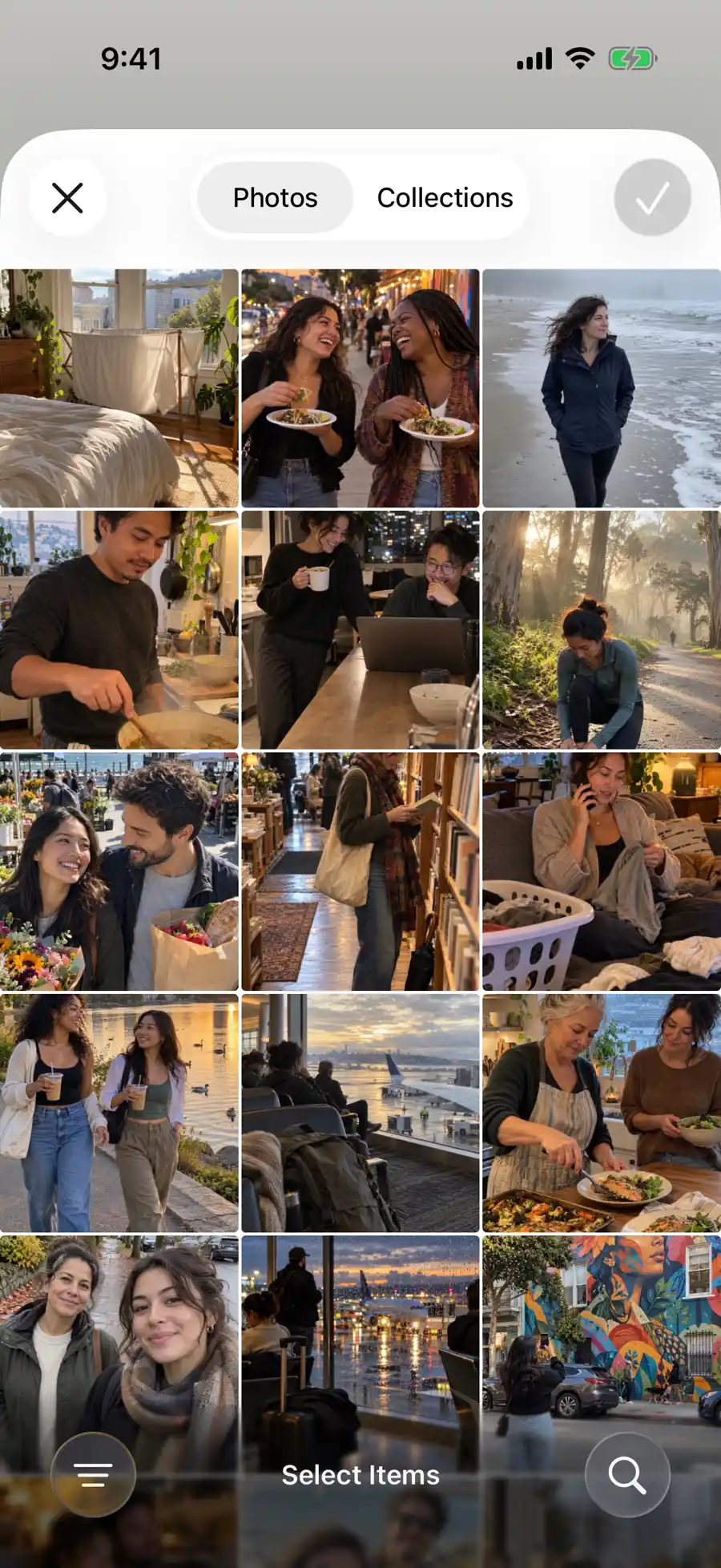
A photo may show the clouds over Puget Sound, but not the relief of finally sitting down. Choose a photo, video or Live Photo from your library, or take one with the camera; add a place to the same entry if you want to find it on the map. The demonstration picker includes an airport window and walks with friends, while the map can open a saved Golden Gate Park entry. A line about why you took the detour gives the image its place in the day. Photo journaling has more examples.

The footprint map uses places saved with entries; it does not track your walk in the background. Check the place name when you add it. An entry without a saved place will not appear as a guessed stop, and a photo’s own location is not necessarily the place you attached to the day.
Three ways back to one afternoon
Months later, perhaps you remember the arrival time, a photograph or the neighborhood first. A flight card recalls the journey; the picture shows what you saw; the saved place leads to the writing on the map. None can tell you why you waited for a companion or changed plans. Give that turn a sentence of its own.
It helps to leave a dated note each day rather than pile every ticket into a final entry. The calendar uses entry dates, the map uses saved places, and Review has flight and train categories. A wrong date, missing place or mistaken scan can hide the day from one of those routes back.
The detour is part of the trip
You meant to visit a museum after landing, then rain sent you into a bookshop. Save a picture, attach the place you want to remember and write why the plan changed. Years later, the map can reopen the account rather than showing only a marker.
If you passed through several neighborhoods, attach the one you most want to recall, or write separate entries for different moments. The demonstration map shows an area summary, place cards and related entries. One place can connect to more than one day; the dates keep those visits distinct.
Follow what you remember home
Remember the date? Open it in the calendar. Remember the place? Open the footprint map from Journal and choose its card. If it is the journey itself you recall, try the flight or train category in Review.
These views do not assemble the trip into a story for you. A short observation each day gives you something to read in order later. The map guide explains the geographic view; how to write a travel journal can help you turn those days into a longer account.
When the connection drops
You can still write, add photos already on your phone and enter journey details yourself. Try flight lookup again when connected. A transport card helps recall the trip; it is not live flight status or a valid ticket.
Updated 2026-10-11 · Screenshots use demo data