
One afternoon you find yourself thinking about the trip to Seattle, but cannot name the date or even which photo started the thought. In Gemi, open an old entry full screen and move from one day to another. The words and photographs are already yours; browsing gives them room to be seen again.
Let one day fill the screen
Open Memories from the bottom of the app. Swipe up or down for another entry and across for more pictures from the same day. In the English demo, a museum afternoon at Golden Gate Park becomes a whole screen rather than a small item in a list. Tap the heart to keep an entry close or the bubble to read responses attached to it.
The view uses entries you have written. It cannot invent the months you did not record. If you remember that the trip was in September, the calendar may get you there faster; Memories is for the day you have no target in mind.
A new entry can reopen an old one
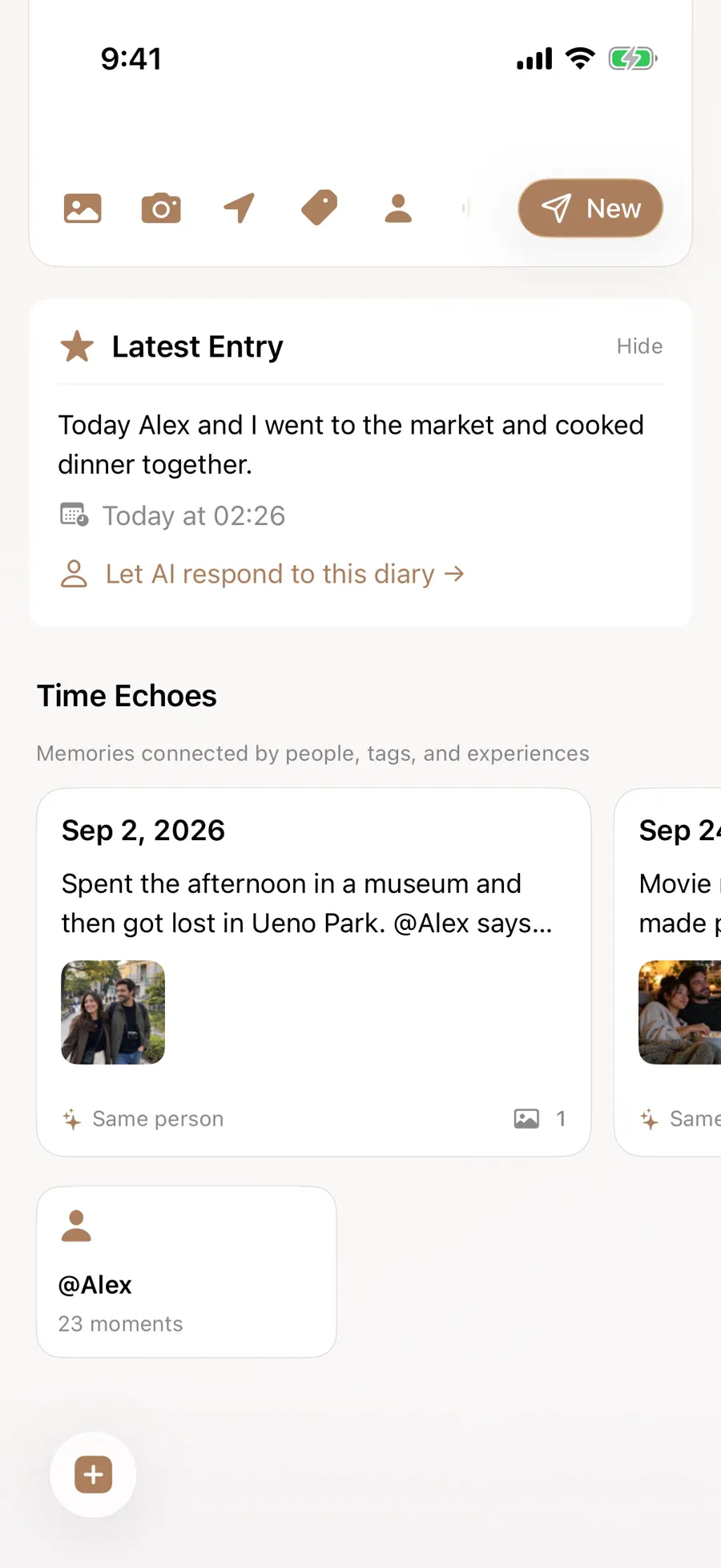
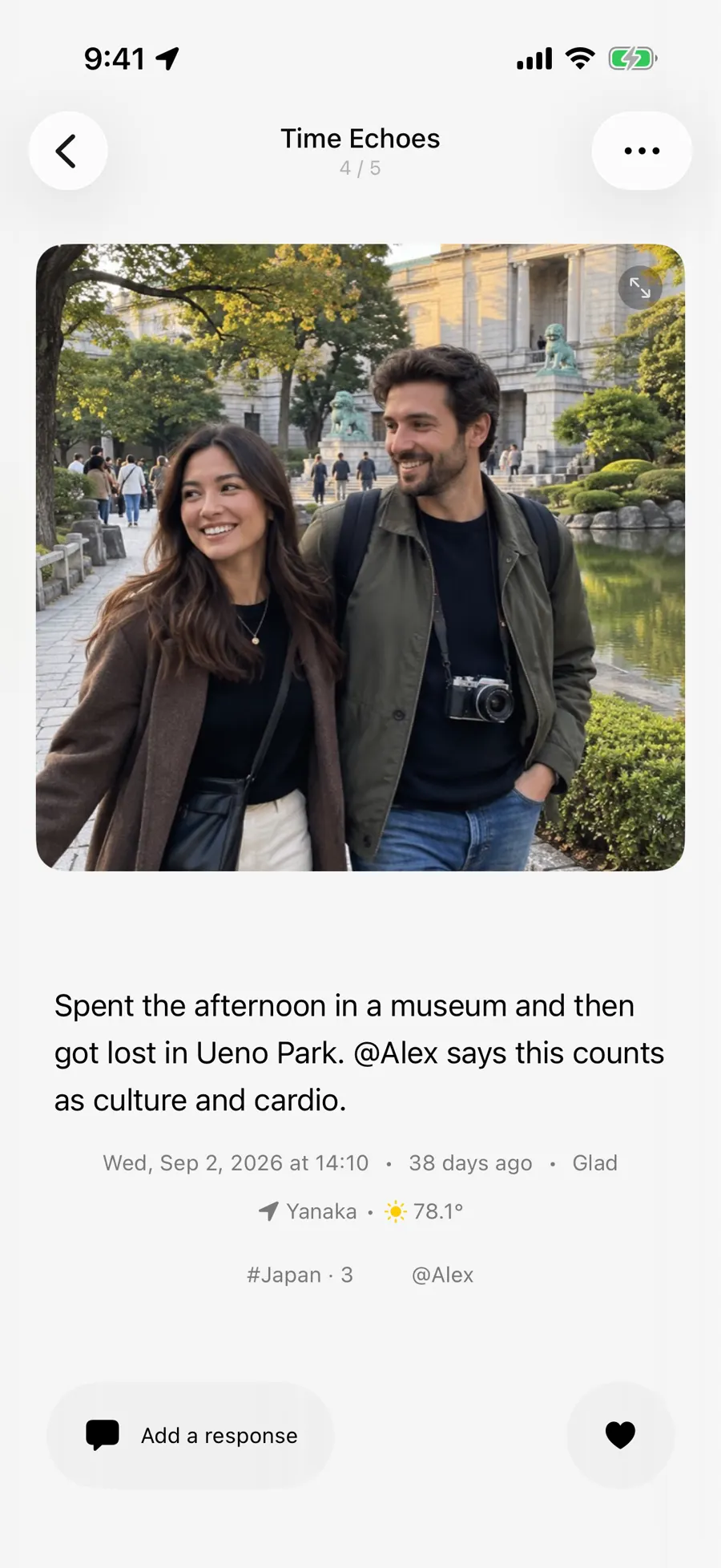
Write today about seeing Alex again and a Time Echo may appear below your latest entry. In the sample journal it points to an older museum day with him. A shared person, place, or similar subject can make the connection visible; opening the card reveals the original entry, so you can read how that friendship has changed in your own words. An entry without an older counterpart may have no echo.
- 1
- 2
On This Day takes a different route: it looks for the same calendar date in previous years. You need not make those connections yourself, but each starts with a real entry.
Follow the theme that catches your eye
These routes feel different in practice. Memories is a broad, full-screen browse. A Time Echo is tied to what you just wrote. Review starts with a subject: the sample journal has Days with @Mom and a trip involving Kyoto, alongside themes for nearby places and holidays. Open a card to move from its overview to the original writing. Sparse journals will naturally have fewer themes to show.
Suppose you recall the museum but not the person who went with you. A place theme may show the visit beside another afternoon nearby. Open the dated cards, and the entry itself supplies the names, photographs, and thoughts that a theme title cannot. If instead Alex is the first clue, his people page gathers the days you marked with him. These are different ways into the same saved writing, so you need not duplicate an entry to make it findable.
The year card opens a wider view: days with entries, a rhythm across months, places visited, recurring people, tags, and moods you selected. In the sample year, 65 entries span 64 days; you can follow an item back to a particular day. The sections depend on what your entries contain. A year of photographs without places cannot tell a map story, and the counts are no target to reach. A forgotten line from an ordinary Saturday may be more revealing than the totals.
The month by month rhythm can also remind you where a quiet stretch belongs. Maybe you wrote more during the Seattle trip and less after coming home. The review can point to that change, but it cannot say why it happened. Read one entry from either side before drawing a conclusion. If you want every date in order, the calendar remains the clearer route; the year view is a doorway into a selection of what you kept.
Updated 2026-10-11 · Screenshots use demo data