
You remember meeting Maya for tacos in the Mission sometime in September, but not which Friday it was. In Gemi, open the calendar from Journal, find a day with an entry, and read it. If you never wrote the day down, the date strip on the writing page lets you go back and add it.
See the same month another way
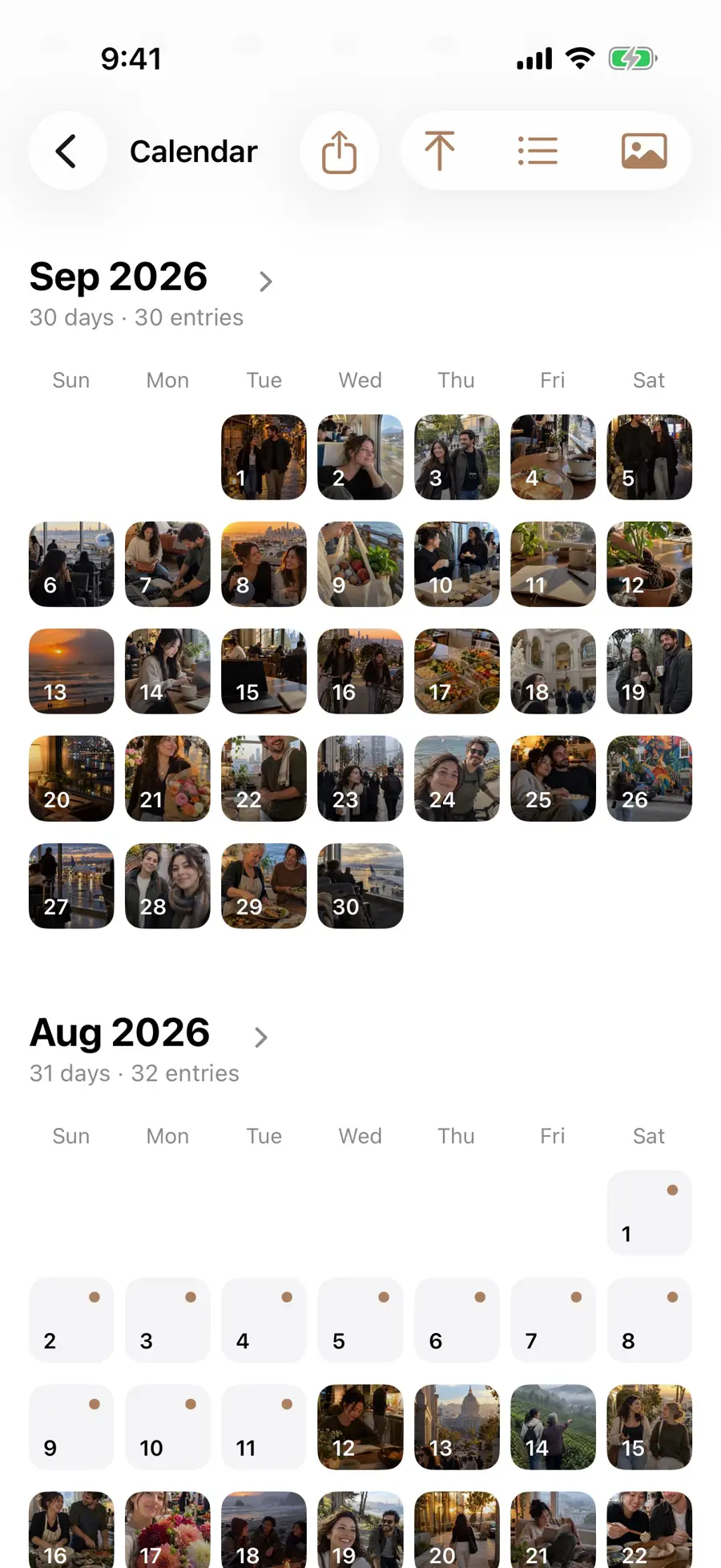
The modes answer slightly different questions. Photos asks which dates have visual material saved in entries. Mood asks which dates you marked with a feeling. Reading or Movies asks which dates contain that kind of attached work. You can switch modes without changing the entries themselves. If your memory begins with a film poster, a person, or a place rather than a date, other Review collections may give you a shorter way in.
The calendar marks days with saved entries. Its display menu lets you look at photos, moods, or categories such as Reading, Movies, Music, and Travel. September 2026 in the English demonstration has an entry on every day, so the view is dense.
- 1
- 2
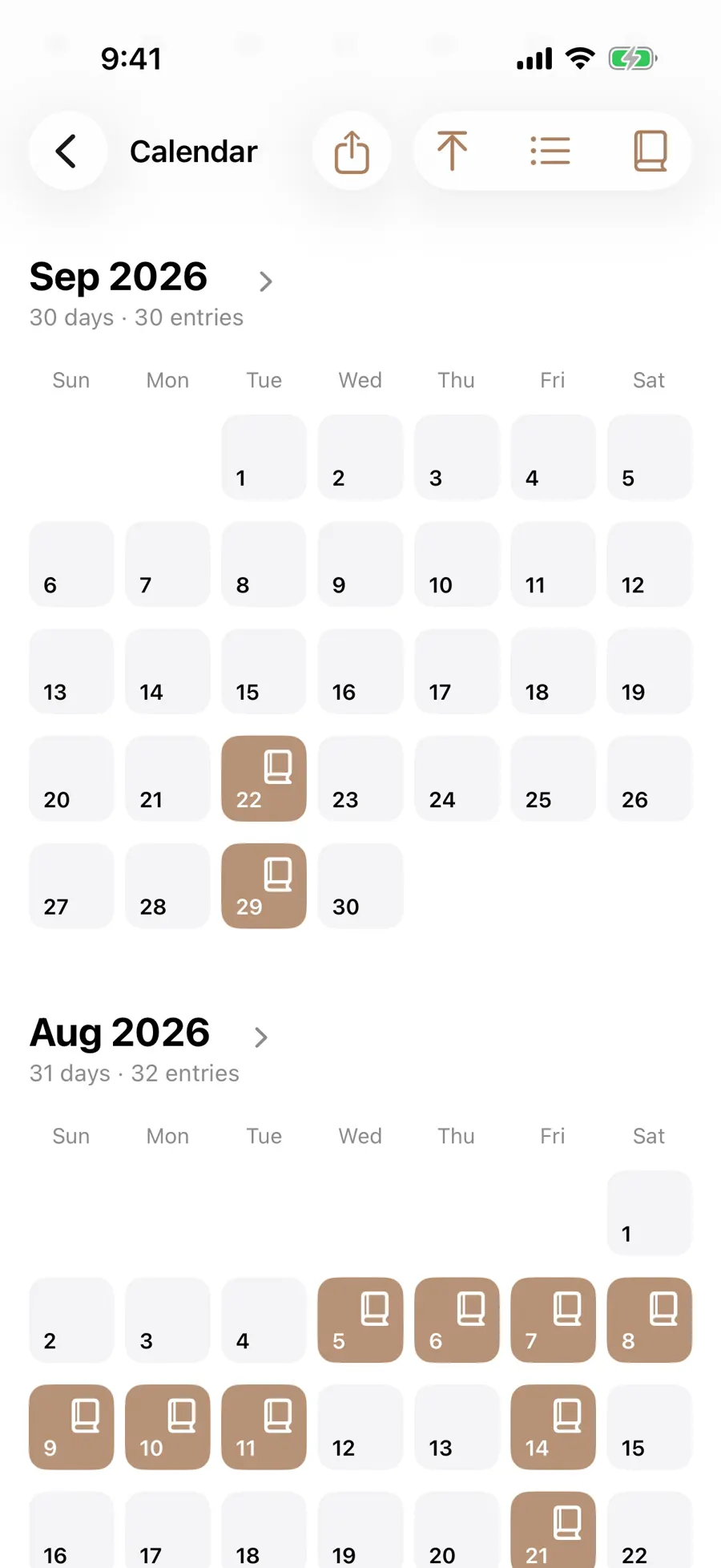
If you remember watching a film but cannot recall its title, choose Movies and follow the marked date to the original entry. If you remember Alex instead, the people page gives another route. The calendar helps you locate writing; it does not replace the words. Its photo view uses pictures you have placed in entries, not every image in your phone library.
Give a missed day its own date
A backdated entry remains part of the journal’s chronology. This is more than cosmetic: On This Day will later look for a matching calendar date, and Review may group a journey by the dates you saved. The date should reflect the day you intend to remember, not merely the afternoon when you found time to type. If you are uncertain, write that uncertainty in the entry instead of silently treating a guess as certain.
The category modes are useful with only a few saved dates. In Photo mode you can follow pictures you actually added. In Mood mode you can see the days you marked. In a category such as Reading or Travel, an unmarked day may simply have an entry without that attachment. Open the day’s original writing when you want the complete context.
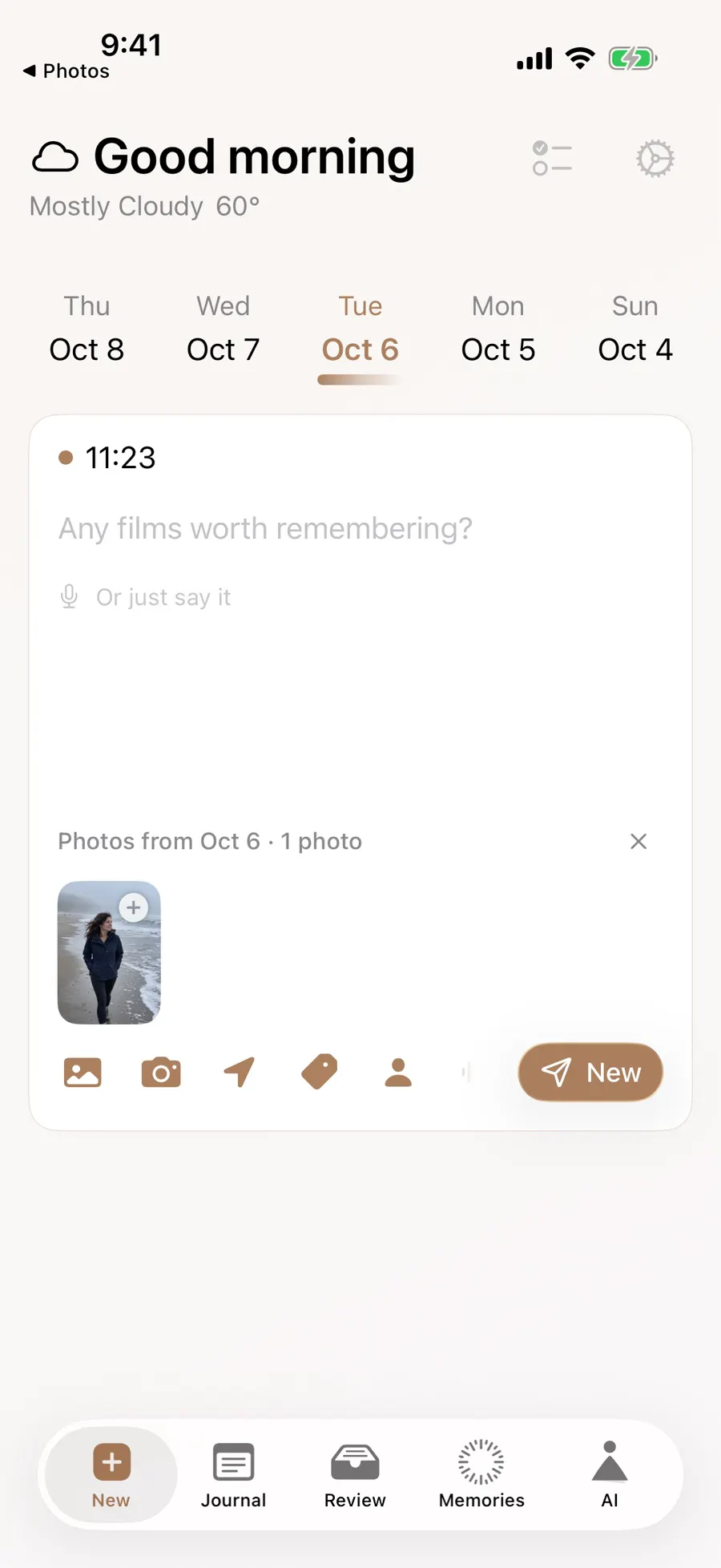
On the writing page, swipe the date strip backward and tap the day you want. Use the calendar button at the far end to jump further back; dates with photos are indicated there. Then write the story under the date when it happened. A note about the Seattle flight can belong to the travel day even if you only have time to write it on Sunday. The photo suggestions on the page change with the date you select.
- 1
- 2
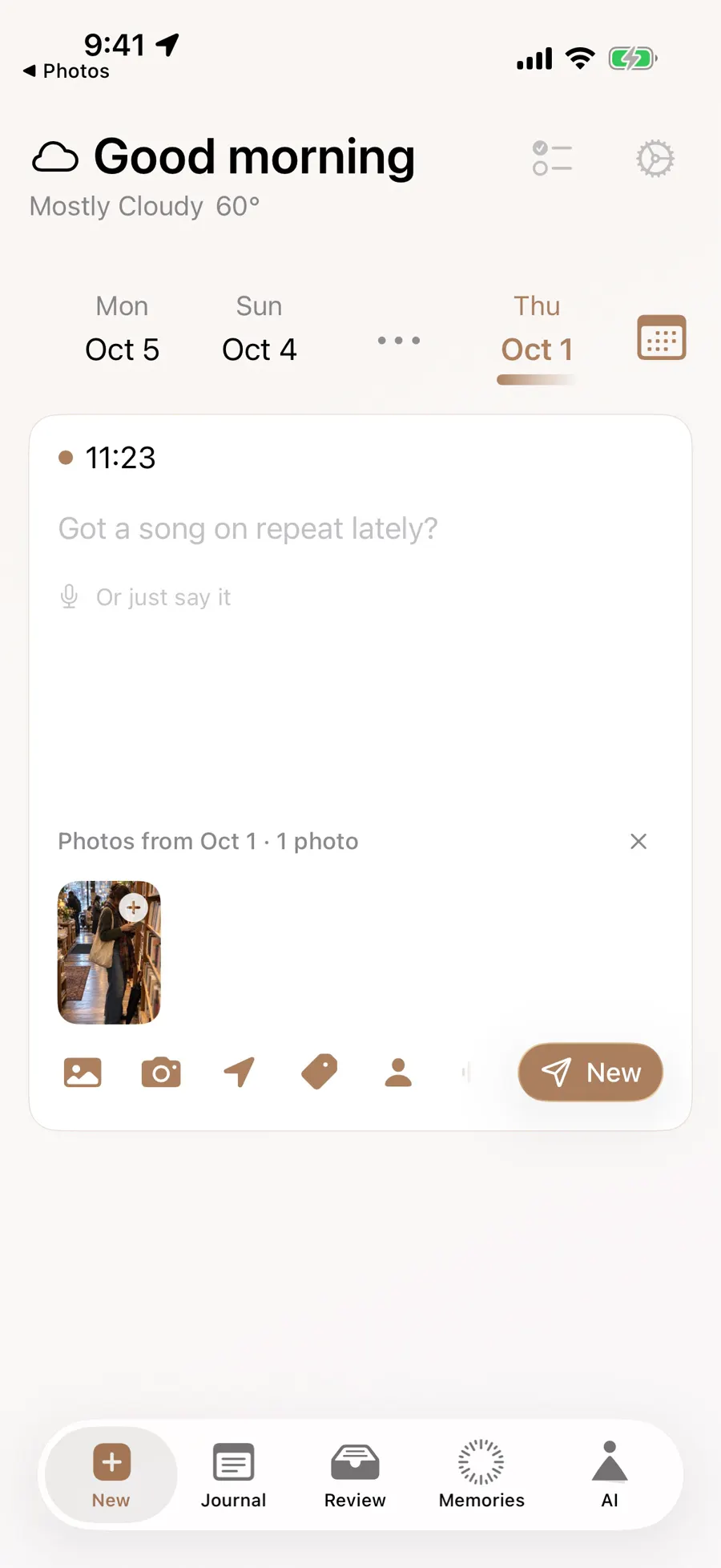
Backdating also helps when several moments share one trip. You may write about the Seattle airport on Sunday and the Kyoto train on Monday, even if you finish both entries a few days later. Select each date before writing and check the resulting entry in the calendar. If the date strip offers nearby days but your memory is from months ago, the picker is the shorter route. The photographs suggested for a selected day are a prompt to inspect, never proof that you were where a picture seems to show.
You still decide which day and details are right. A photograph alone does not create a missing journal entry. For a date-free browse, open Memories. If you are curious about the same date a year ago, On This Day waits for an entry from a past year.
Updated 2026-10-11 · Screenshots use demo data