
A song stays in your head on the walk home. Later there is a film with a friend, then a few pages of a book before bed. In Gemi, write about that day and use the book, film and music buttons to place those works beside your words. Their covers in Review can lead you back to the entry.
Begin with the day
Start with what a cover cannot hold: the conversation after the film, the line you underlined, the turn where you replayed a song. Then use the book, film or music button at the bottom of the writing screen to choose a work. If you picked the wrong one, change or remove it from Added Content before saving. A new entry has room for one current selection of each kind, alongside your words and photos.
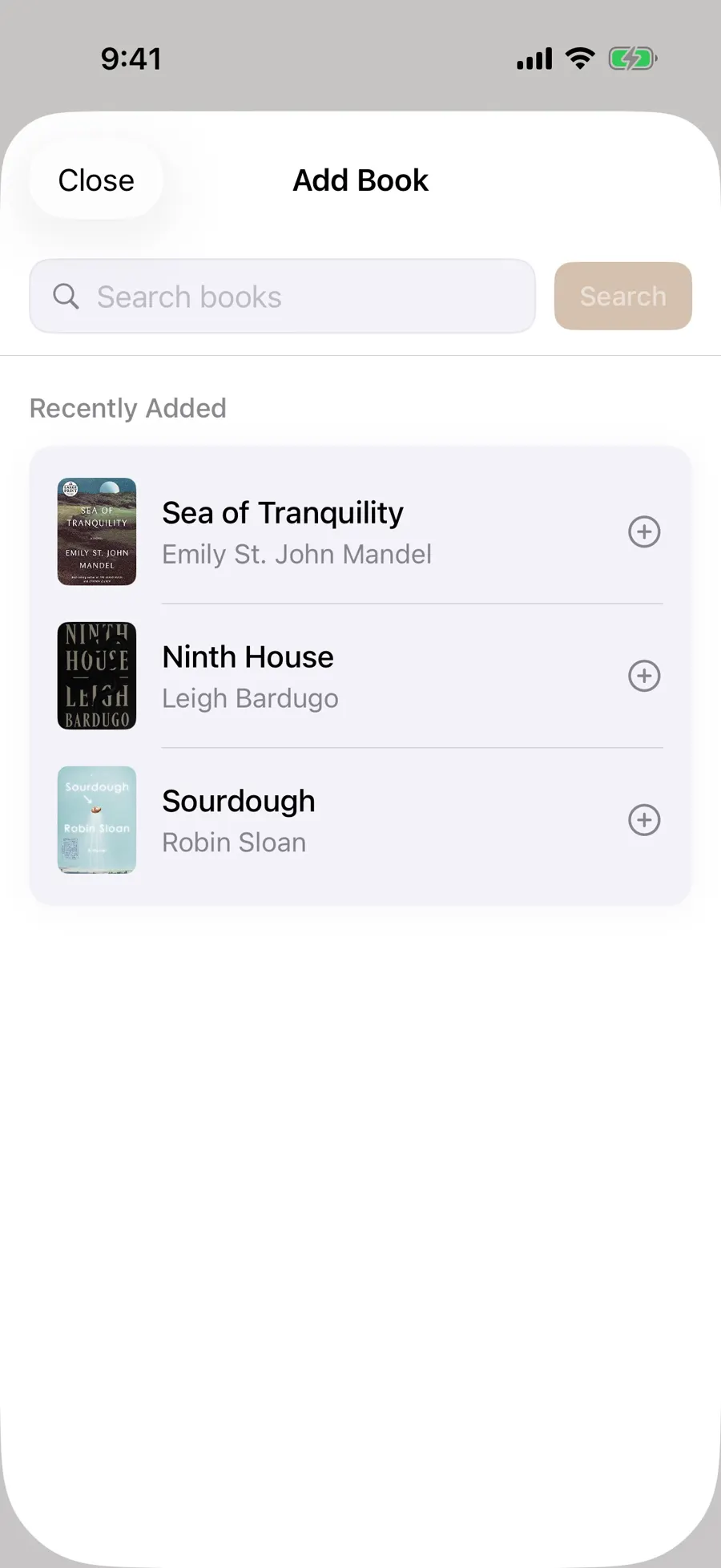
When the same work finds you again
A book may wait a week on the bedside table before you return to it. Choose it in a new entry each time, and its cover can lead to those separate days. A rewatched film or replayed song works the same way: one work gathers the entries, while each date keeps its own words.
The bookshelf can show All or an entry year. A year there means when you wrote about the book, not when it was published. The movie wall also navigates by journal year; all three walls place recently mentioned works first. Review statistics and the annual review can open book, film and music views limited to the records in that review.
The cover opens the day
When you remember the work before the date, find its cover in Review; when you remember the date first, use the calendar. A book detail may include publication year and ISBN as well as the linked entries. A film wall card can offer a line and place from the latest entry. The music wall shows how many songs and linked entries it holds, and a song detail can show the artist, album and first recorded date. These are ways back to the writing, not separate reports you have to maintain.
A song may also have a preview or an open-song option if playback and music access are available. The entry about your walk by the river still holds the part no catalog can supply.
If the work is hard to find
Search shows recently added works, which helps when you return to a book, movie or song. You can search for a book by title or author, and for a film or song by name. For a familiar name, check the book’s author and cover, the film’s year and subtitle, or the song’s artist, album and duration; two works can share a title.
Book, film and song searches need a connection. What you type goes to the relevant outside catalog, and music search also needs music access permission. Results vary by spelling, language and edition; film search works best with Chinese titles. If nothing matches, save the name and the day in your own words. Text will not become a work card by itself, but you can edit the entry and choose a match later.
For more on one kind of work, see the reading log or music journal.
Updated 2026-10-11 · Screenshots use demo data