
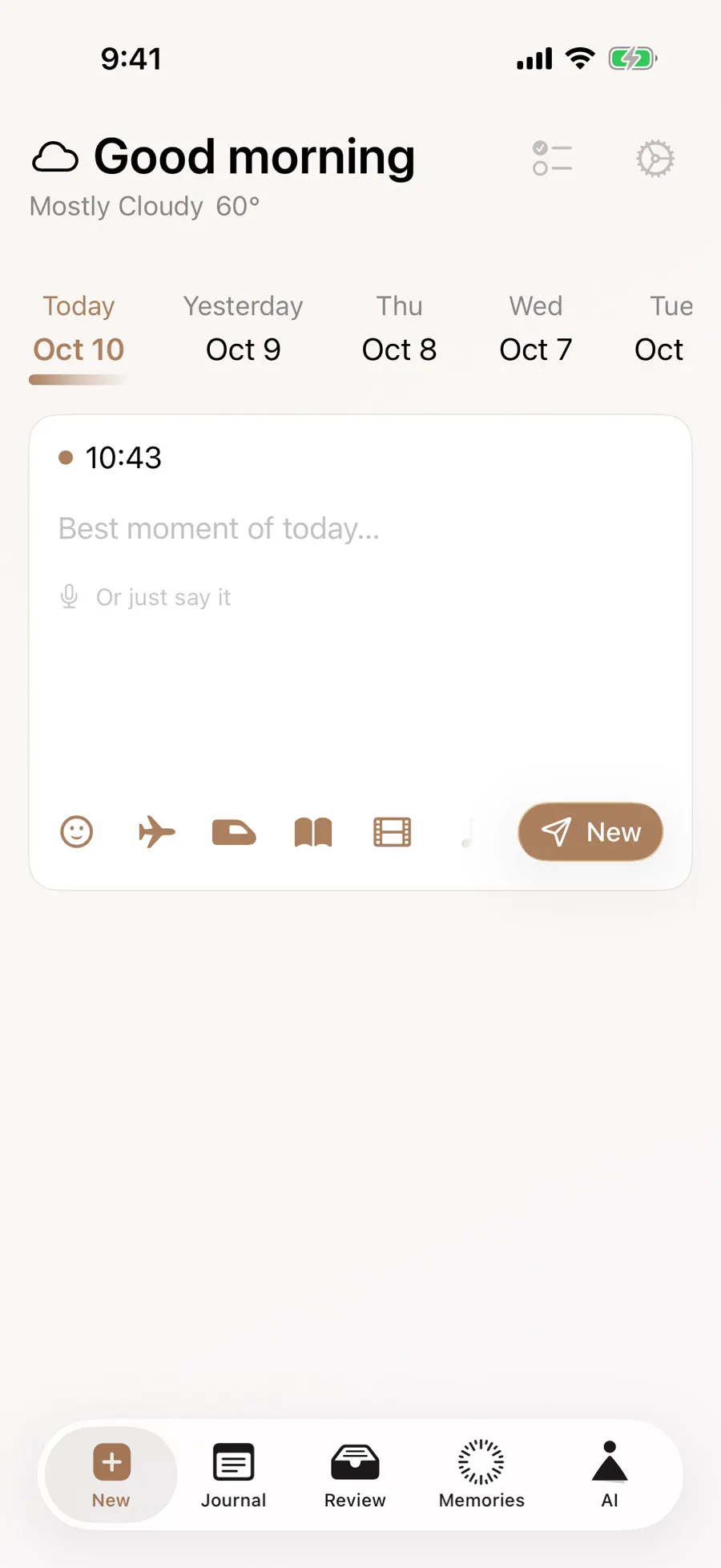
Rain sent you into a neighborhood bookstore. You meant to sample a novel, then looked up forty pages later, still in the aisle. In Gemi, write that moment in today’s entry and tap the book icon to add the title; when you read it again, attach it to another day. The bookshelf lets you open its cover and find both pieces of writing.
The day you found it
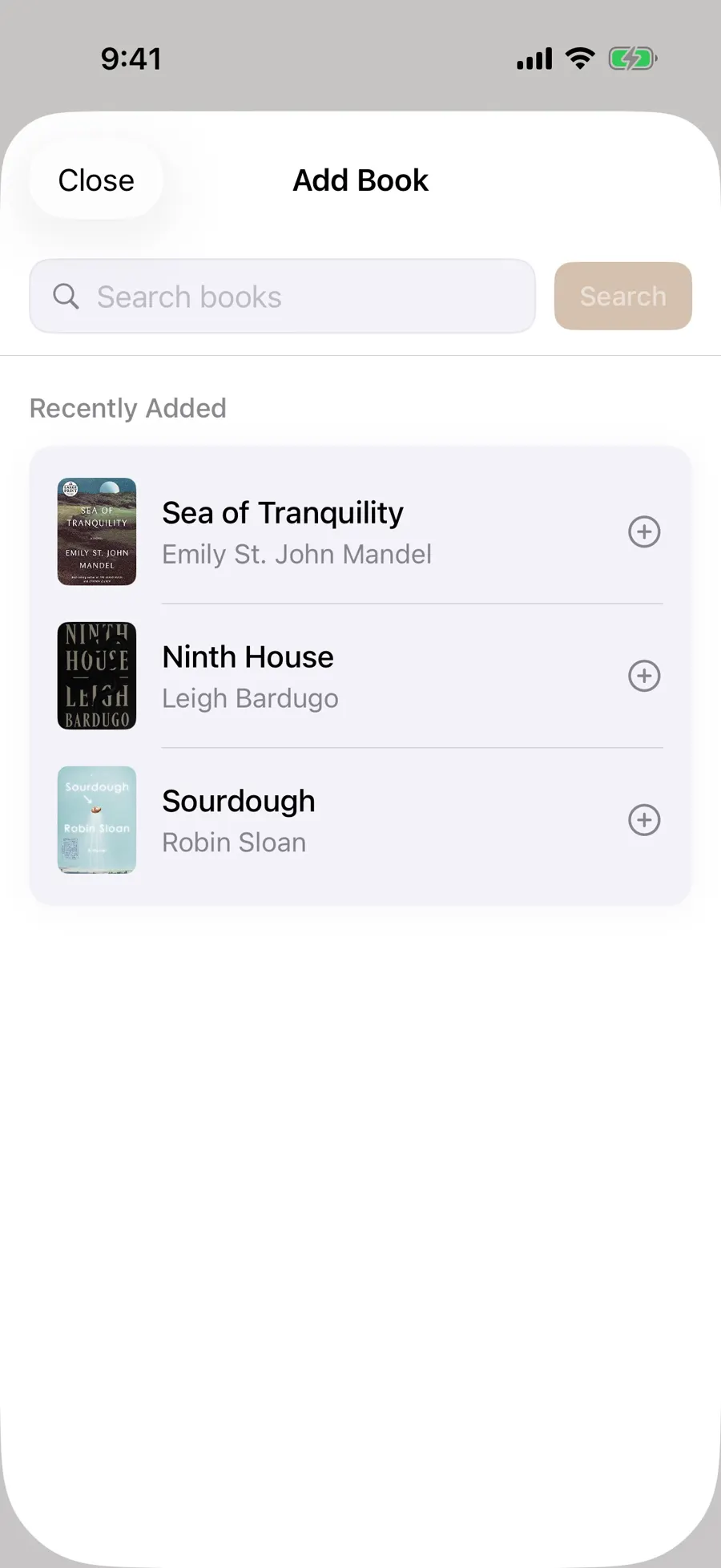
Start with the line that kept you in the bookstore aisle. Then tap the book icon and search by title or author. You may see up to five matches; compare the author and cover before choosing. Afterward, you can check the publication year in Added Content and change or remove a wrong edition without losing your words.
- 1
- 2
A new entry has one book selection, with separate places for a film and song. In the English demonstration, an October 10 entry says how good it felt to finish Tomorrow, and Tomorrow, and Tomorrow. On another day, choose the same book again and write what it meant then. Its detail can take you to both dates.
The cover is a way back
The saved book sits beside that day’s writing; opening it shows the author, publication year and ISBN when available, along with the entries connected to it. Those entries may also show a photo or place from that day. The reading thought itself belongs in your journal words.
If the saved book has no cover, its detail lets you try fetching one again, though the artwork may still be unavailable. Your writing remains readable. You can also edit a saved entry to add a book you remembered later.
Follow the cover through the years
Remember the cover but not the date? Open Books under Review’s All categories. The shelf puts books you wrote about most recently first and lets you choose All or an entry year. A year here is when you read and wrote about the book, not its publication year. A book you returned to the next year can be connected to both years. The number beside a year counts books in that slice, not pages read.
Open the cover for related entries, newest first. Use the calendar when you remember the day; use the shelf when the book comes to mind first. The media journal overview shows how a film or song can sit beside the same day’s writing. The book detail also has a Delete action; read its confirmation before using it. A song from the same day can be found through the music journal.
When the book comes back
A week later, the title may mean something different. Start a new entry and choose it again. Recently added books appear in search, so you may not need to type; give this day its own words.
If the catalog cannot find it
Book search needs a connection, and the title or author you enter goes to an outside catalog. Spelling, language and edition affect the results; if an ISBN misses, try the title or author. You can save the book’s name and your thought in plain text now. It will not make a cover card automatically, but you can edit the entry and add the book when search works.
Updated 2026-10-11 · Screenshots use demo data